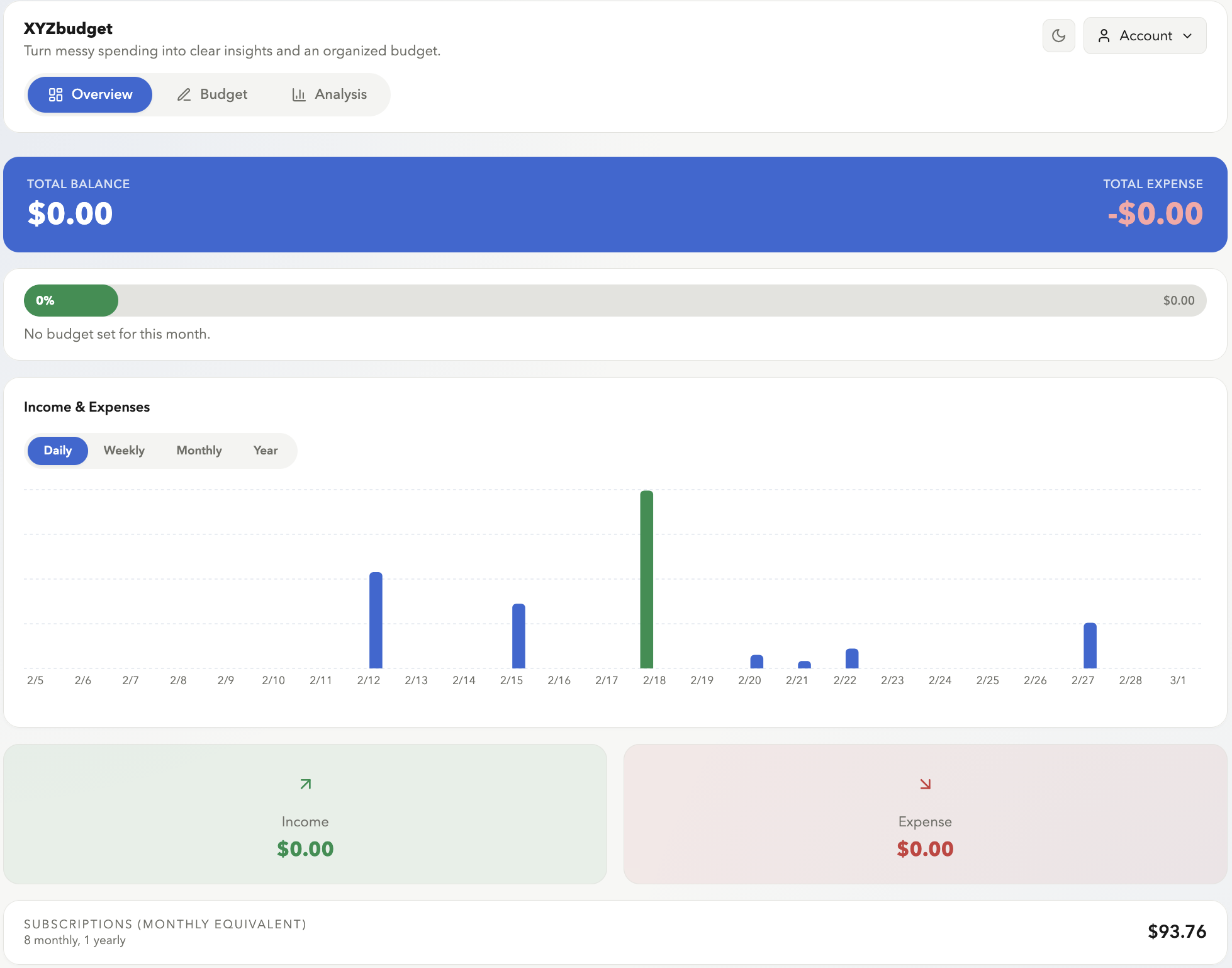
Most budgeting apps ask you to log what you spent. XYZBudget asks you to decide what you’ll spend — before the month starts. This is the one design decision that everything else flows from.
#The Problem
Passive tracking is the default mode of personal finance apps. You connect your bank, transactions appear, you look at the pie chart at month-end. The loop is: spend → record → feel guilty → repeat.
The problem isn’t the tracking — it’s the sequence. When you record expenses without a plan, you’re doing forensic accounting. You’re analyzing what already happened with no reference point to measure against. The data is accurate, but it tells you nothing useful in the moment.
The insight that shaped XYZBudget: a budget is a document, not a report. You write it at the start of the month, before you’ve spent a dollar. Every transaction after that is just variance against the plan.
#The Solution
XYZBudget has two modes on the /record page, and the order matters.
Planning Mode comes first. You set a monthly budget: planned income at the top, then per-category expense targets below. Until you’ve done this, spending mode has no reference point.
Spending Mode is where you log transactions day by day. The key column is variance — planned minus actual, live, per category. Green means you’re under. Red means you’ve crossed the line. The number isn’t interesting on its own; it’s interesting because you set the target yourself weeks ago.
There’s also a calendar view that maps money flow across the month — you can see which weeks are heavy on fixed costs and which are lighter.
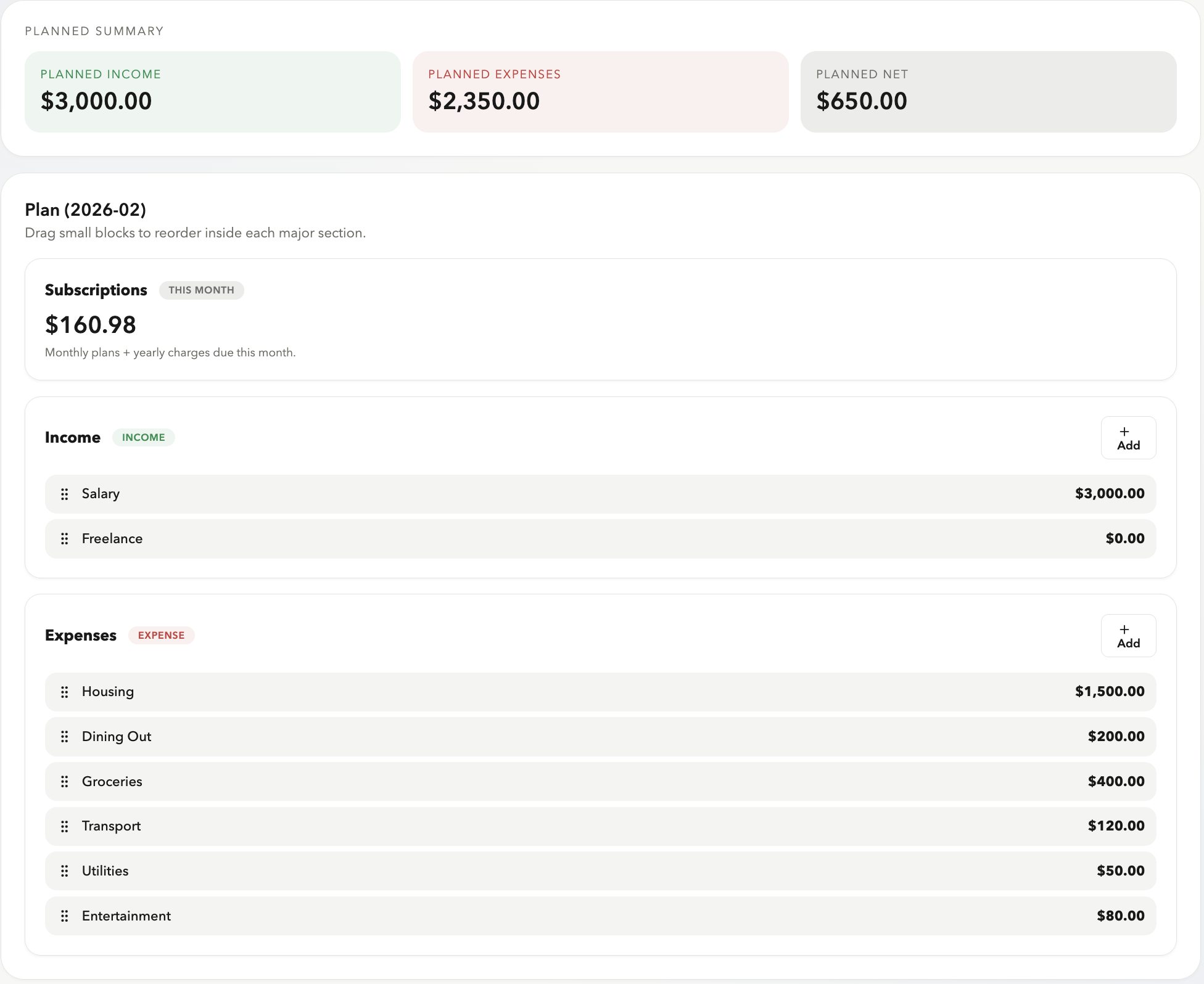
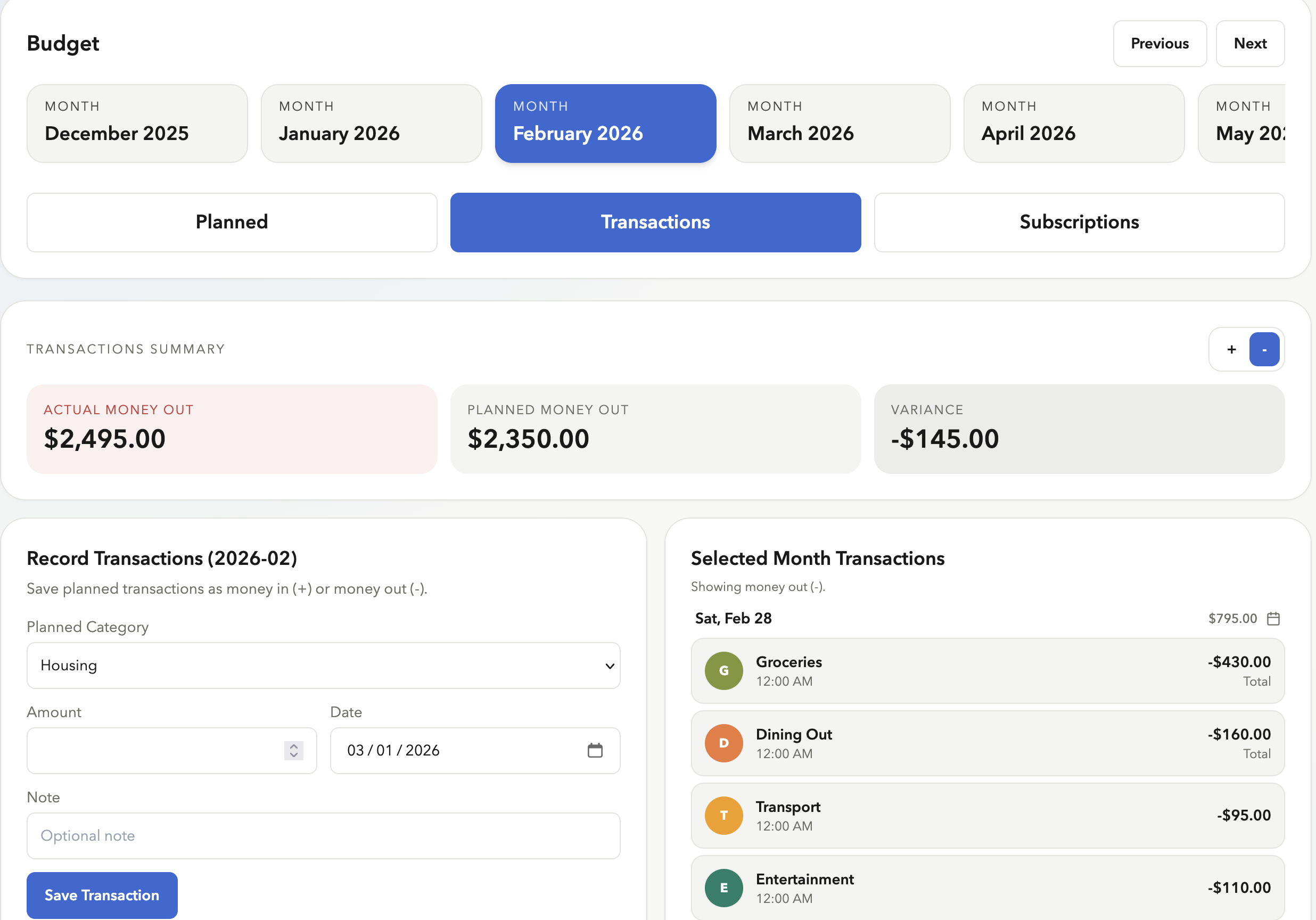
The UX constraint that enforces the philosophy: you can record transactions without a plan, but they’re just floating entries. The variance column stays empty until you’ve written a budget. The app doesn’t nag you — it just makes the payoff of planning visible.
#Subscription Automation
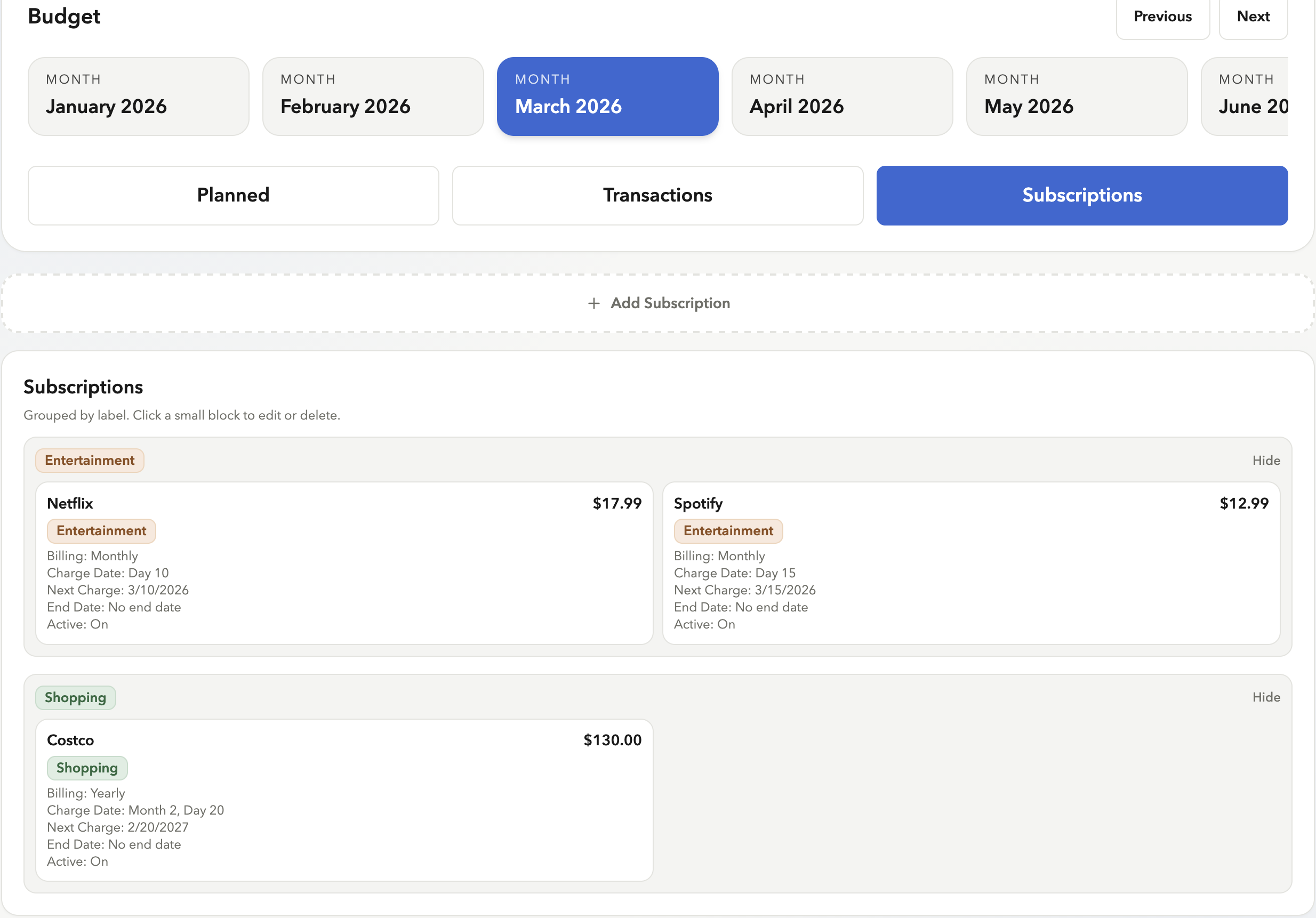
This is the part of XYZBudget I’m most proud of engineering-wise, and the problem it solves is real: subscriptions are the hardest expenses to track manually. They charge silently, on different cadences, at different times of the month. Netflix on the 3rd, Spotify on the 17th, annual Amazon prime bill in October. Most people don’t know their total subscription spend off the top of their head.
XYZBudget automates this entirely. You set a rule once — name, amount, cadence (monthly, weekly, yearly), day of month, your local time — and the app posts the transaction automatically on charge day.
This is different from apps that auto-detect subscriptions from your bank feed. Here, you enter each one manually — which forces a moment of awareness that passive syncing skips. You have to know what you’re subscribed to before you can log it. That friction is the feature.
#How It Works Under the Hood
The trickiest engineering problem here was preventing duplicate charges. A subscription can be triggered from two places at once — a background server job that runs on a schedule, and a process that fires the moment you open the dashboard. Both are designed to catch you up on anything you missed, which means they could race each other and post the same charge twice.
The fix: every transaction gets a unique tag made from the subscription rule ID and the charge date. The database enforces that no two transactions can share the same tag. So if the server job and the dashboard load both try to post your Netflix charge on the 3rd, the second one sees the tag already exists and quietly backs off. No duplicate, no error, nothing for you to deal with.
The system is also timezone-aware. Your timezone is saved in your profile, and every charge date is calculated in your local time — not the server’s. A user in Tokyo and a user in New York both see their subscriptions post on the correct date for where they are.
Finally, if the app is ever offline for a few days and comes back, it doesn’t just skip what it missed. It walks back through every missed charge date in order and posts them all, so your history stays complete.
#Analytics & Insights
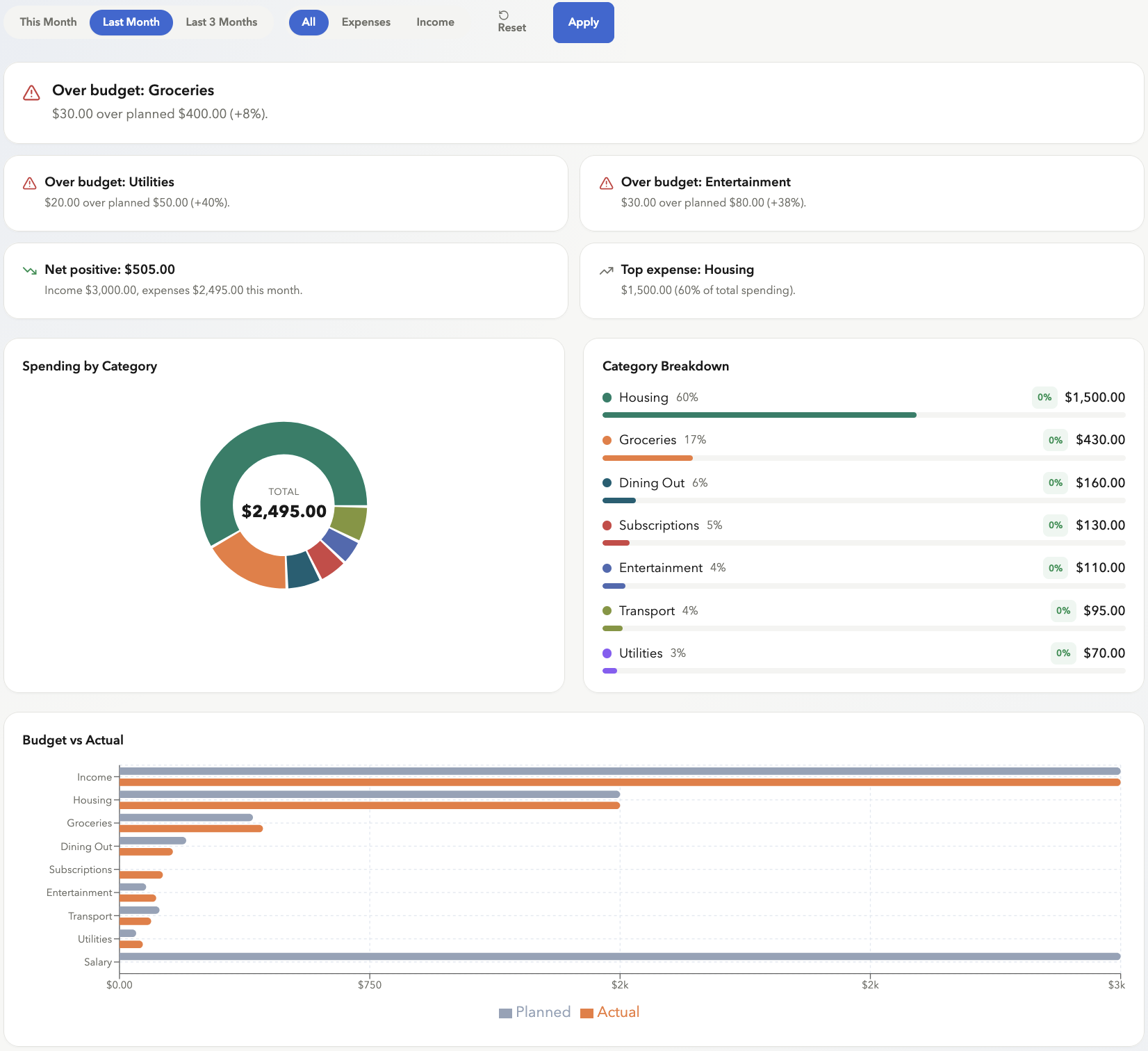
The /analyze page is built around three chart types — bar (spending by category), pie (expense distribution), line (monthly trend) — using Recharts with preset quick ranges: this month, last month, last 3 months, or a custom date window.
What I wanted to avoid was a dashboard that shows you numbers without context. So the page auto-generates a ranked list of insights:
- Net summary — income vs. expenses, net positive or negative
- Top spending category — name + percentage of total spend
- Month-over-month changes — categories that moved more than 15% trigger an alert (up or down)
- Over-budget warnings — per category, showing the exact dollar amount and percentage over plan
Insights are sorted by severity: warnings first, then positive signals, then neutral info. The result is a page you can read top-to-bottom and know where to focus.
CSV export is also available for anyone who wants to pull data into a spreadsheet.
#Tech Stack
| Layer | Technology |
|---|---|
| Framework | Next.js 15 (App Router) + TypeScript |
| Database | Supabase (Postgres) |
| Auth | Supabase Auth |
| Server functions | Supabase Edge Functions (Deno) |
| Validation | Zod |
| Charts | Recharts |
| Styling | Tailwind CSS |
| Date handling | date-fns + date-fns-tz |
| Testing | Vitest |
#What’s Next
Three things I want to fix in v1.2:
More accurate charge date tracking. Right now, subscription dates are stored using a server timestamp in UTC. The problem is that when clocks change for daylight saving time, the same local date can produce a slightly different server time — which can confuse the duplicate-detection system. The fix is to track charge dates using the actual local date (like “2026-03-15”) instead of a raw server timestamp. Simpler, and immune to clock changes.
A rethought Analytics tab. The current analytics page shows charts and auto-generated insights, but it’s not quite telling the story I want. I don’t have the exact vision yet, but v1.2 will be a ground-up redesign of how the data is presented — fewer generic numbers, more actionable signals.
Recurring income. Subscription automation currently only handles expenses. But income can be recurring too — monthly salary, a freelance retainer, regular transfers. v1.2 will extend the same rule system to income, so you can set up a salary that auto-posts on the 1st without any manual entry.
#Try It
XYZBudget is live at xyzbudget.vercel.app. The full source is on GitHub at Xuanyu6Chen/xyzbudget.
If you’re building something and the plan-first mental model resonates, I’d like to hear what you think.